Morning, 7 to 11
Quick, filling blends and grab-and-go. People are in a hurry.
14 days free. No card.
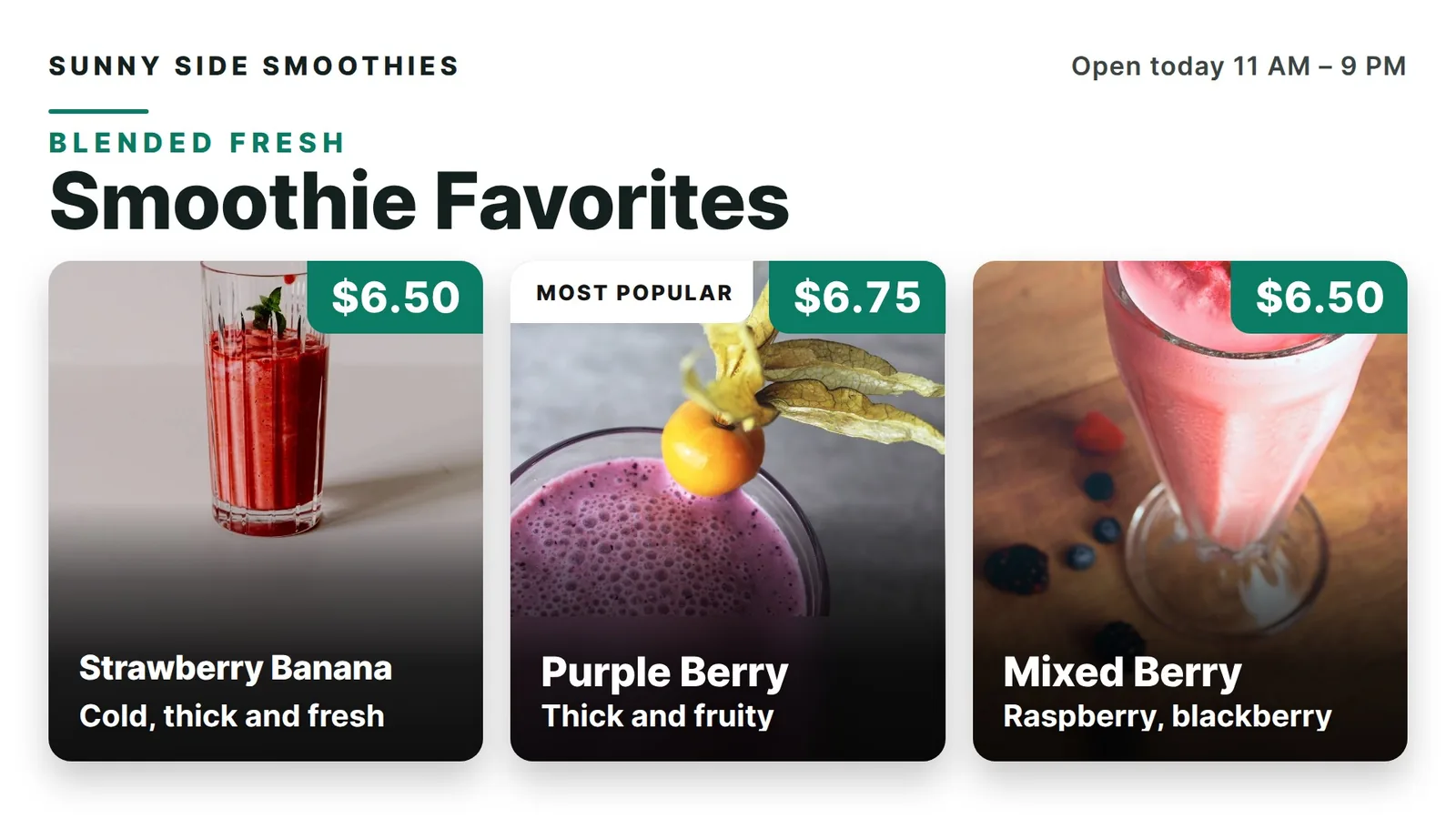
A smoothie shop sells color. Here is a plain plan for a board with big photos, clean size prices and add-ons that stay out of the way.
A smoothie is a color before it is a name. Pink is strawberry. Orange is mango. Green says healthy. A person in line sees the color first and reads the words second.
So give each blend a real photo and a short name. “Mango Pineapple” is enough. Do not list every fruit in every cup. The full list can live on a card at the counter.
Our rule of thumb: show six to eight blends, with a photo for your top three. Make names about 48 pixels tall on a 1080p screen.
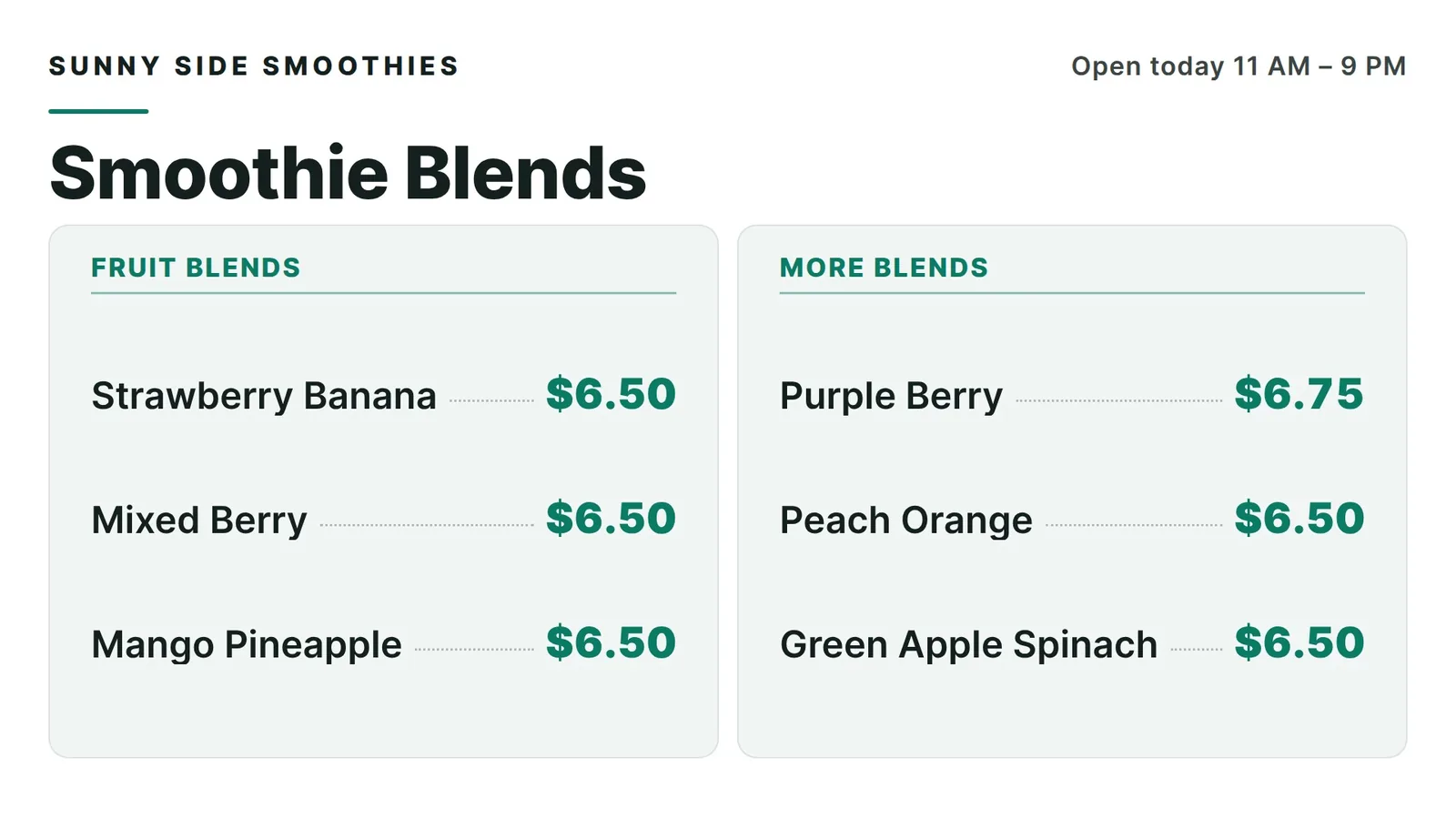
Sizes are the same for every blend, so say them once. One row: 16 oz and 24 oz, with the price under each. A person reads the blend, then the size row, and they are done.
If protein blends cost more, give them their own block with their own size row. Two clean rows beat twelve prices.
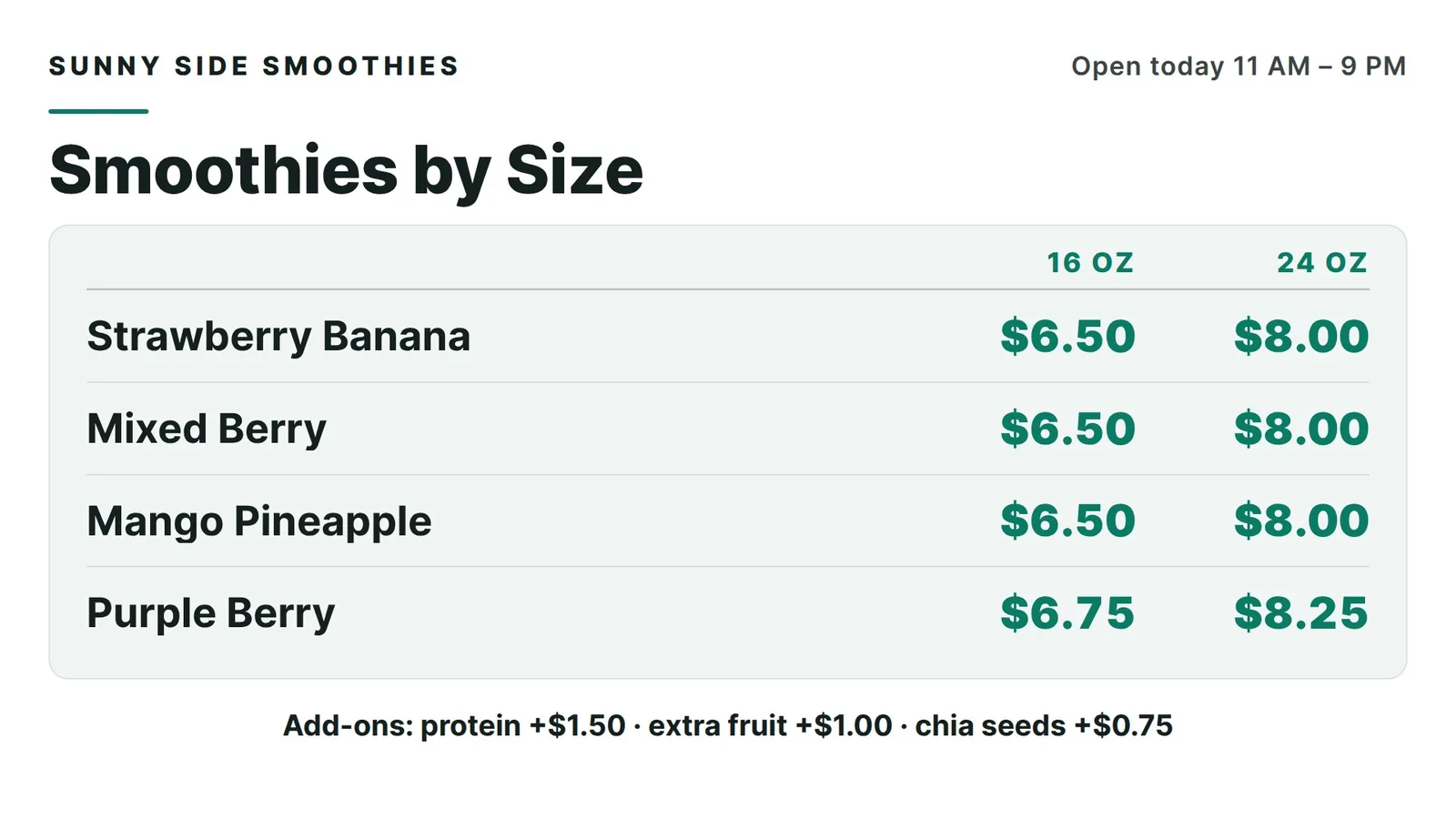
Boosts like protein, chia or extra fruit are small extras. In the middle of your blends they make the list long and slow. Move them to their own small panel at the side or bottom.
Give it three lines and one price each. Keep it in the same spot on every board so regulars learn where to look.
An example boost panel. The extras and prices are made up.
Want a smoothie board like this? We set up your first screen with you. Try it free for 14 days, no card.
A smoothie bar serves different people at different hours. Think about who is in line, then put their favorite first. These times are examples. Use your own.
Quick, filling blends and grab-and-go. People are in a hurry.
Your biggest blends and any lunch-style choices. Show the combo first.
Fruit-forward, lighter blends and treats. People have time to look.
You do not need three boards. One board can lead with the blends that sell most. Today the screen turns on and off at the times you set. Ask our team what changes on its own and what we update by hand, and we will tell you plainly.
Mango is gone at 2 p.m. and the board still shows it. That means a sad customer and a slow line. The fix is a simple habit, not fancy software. Here is how it works today:
An example of a blend marked Back soon. The items and prices are made up.
Keep prices in fixed spots, so a change touches one name and not the whole design. A register link that does this by itself is on our roadmap, not live. Today your register and your board are two lists, so change both.
You may not need a new screen. A TV with Fire TV built in, or a Fire TV Stick in an HDMI port, can run our app. Steps are on our Fire TV menu board page.
The first 14 days are free, with no card, and there is no contract. See pricing for what each plan includes.
Our five screens run in an ice cream and shave ice shop in Davie, Florida, and this advice comes from there. We have not set up a screen inside a smoothie bar yet. If you run one, tell us what you need and we will say plainly if it fits. See how to update a digital menu board and menu board design tips.
Seven ideas from a shop that runs them, with our real boards.
Six plain rules for a board people can read fast.
Keep prices right without the stress.
How the TV you own becomes a board.
We open free trials a few shops at a time, and we set up your first screen with you.
14 days free, no cardNo contract. Cancel anytime.


