Opening and closing times
The screen turns on at opening and goes black at closing, to the minute. No remote.

Drink menus change a lot. A digital menu board lets your board change with them, on the TV you already own. We run an ice cream shop, so the boards below are ours. The ideas carry over to drinks.
A coffee menu is never finished. A fall drink comes in. A syrup runs out. Oat milk goes up in price. A printed board means a new print, a ladder, or a marker. A screen means one change that shows up on the TV.
Seasonal drinks come and go, sizes and milk choices add up fast, and a new special can start on any Tuesday. A board you can change in minutes keeps up.
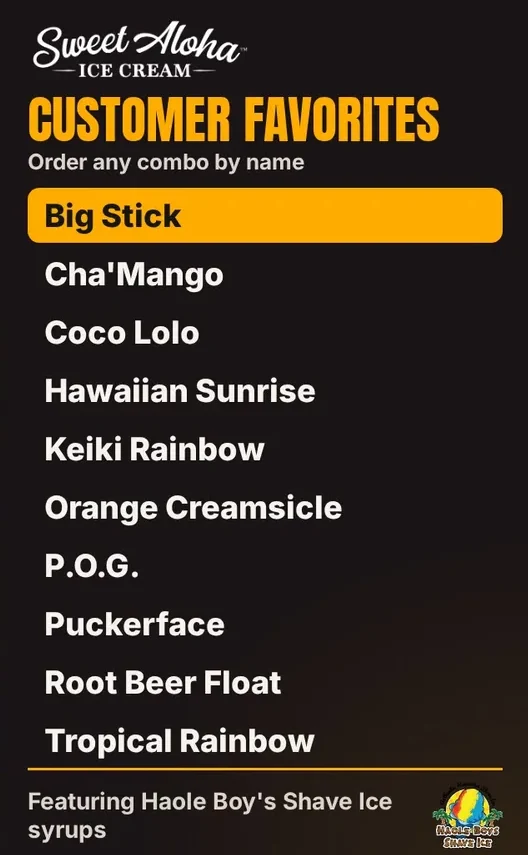
Show the six to eight drinks people order most, with prices in one column. Our rule of thumb is ten lines at most on a board. More than that and the letters shrink below what a customer can read from the door.
Put them in a steady order, such as hot drinks first, then iced, then A to Z inside each group. Our shave ice combo board is a good model: one item per line, one rule for the order, no extra decoration.
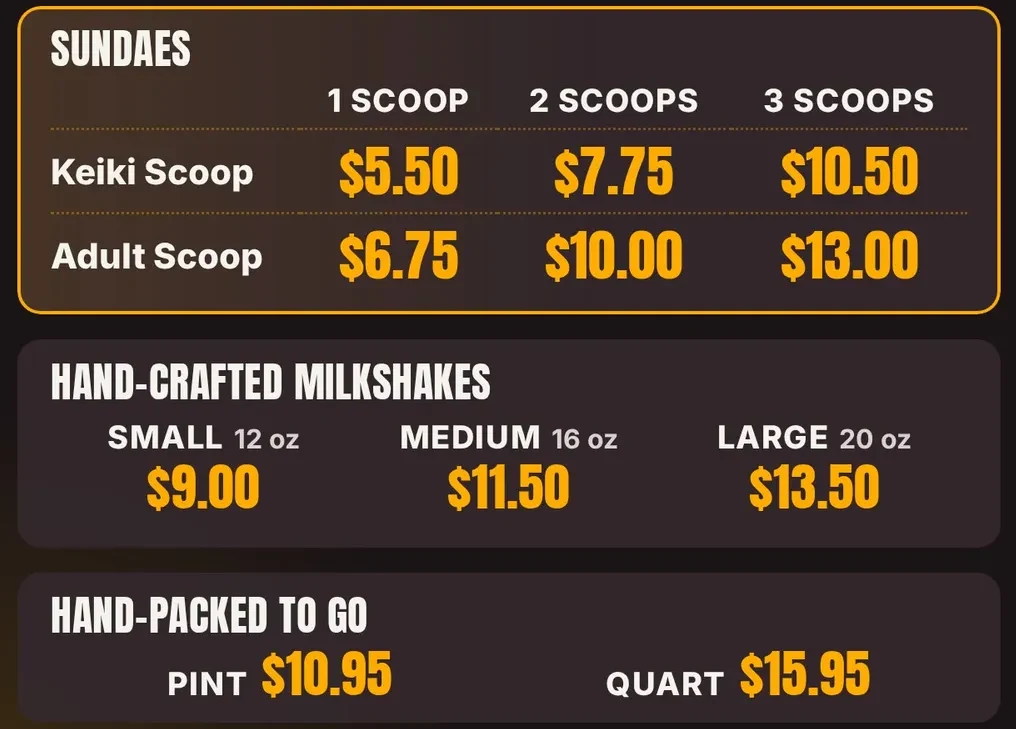
Put sizes in one small row at the top, not next to every drink. Our milkshake block shows the idea: Small 12 oz, Medium 16 oz and Large 20 oz across the top, with one price under each. A coffee board can do the same with 12, 16 and 20 oz.
At 1080p, our block headings are 50 pixels, the prices are 54 to 66 pixels, and nothing is under 26 pixels. Tell your milk choices once, in one line, instead of printing them on every drink.
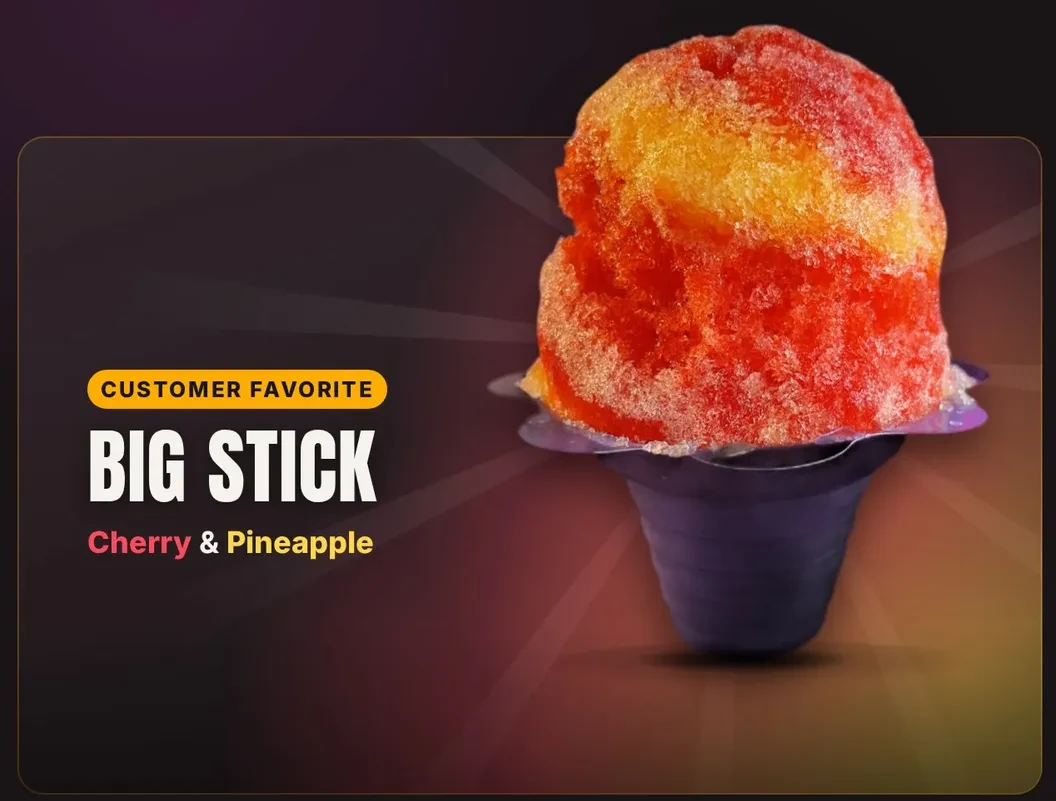
Give the seasonal drink a big spot and a real photo. On our shave ice board, one item takes about two thirds of the screen width, with a tag, the name in the biggest type, and a line for what is in it. A pumpkin latte would get the same card.
Swap the special once a week or once a season, on the same day. The rest of the board does not change, so regulars always know where to look.
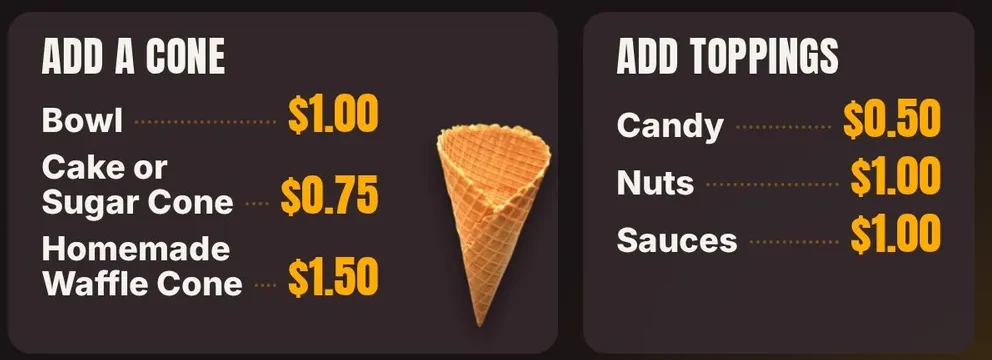
A pastry photo near the register helps people add one. Give it a small panel, not a full screen. Our scoop board does this with “Add a Cone” and “Add Toppings” in small panels beside the main grid, three items each. A coffee board can use “Add a Pastry” the same way.
Mornings are about hot coffee and something to eat. Afternoons lean to iced drinks and treats. A screen can show a different board at a different time of day.
Here is what is live today and what is not:
The screen turns on at opening and goes black at closing, to the minute. No remote.
We make your morning and afternoon boards from your menu and real photos.
Picking which board plays at what time from your own dashboard is Coming soon. Today our team sets the times for you.
You do not need a special signage screen. A normal TV with Fire TV built in, or a Fire TV Stick in an HDMI port, runs Wow Menu Boards. All 5 TVs at our Sweet Aloha shop run it every day. See our Fire TV menu board page for what that looks like.
Want your drinks on a board like these? We build it with you.
Square, Toast and Clover sync is Coming soon. Clover is first. When it is ready, a price change at your register will update your board. Until then, you send us changes and we update the board. Read more on our features page.
The schedule is live: your screen turns on and off with your hours. Switching to a different set of drinks at a set time is something our team sets up for you today. A way to do it yourself is Coming soon.
Send us the change by text or the contact form, and we update your board. Editing it yourself in a dashboard is Coming soon.
Not yet. Menu sync is Coming soon, Clover first. Your board works next to any register today. It just does not read prices from it.
A TV with an HDMI port, plus Fire TV built in or a Fire TV Stick. If you already have a TV over the counter, you likely have what you need.
Seven ideas from a shop that runs them, with our real boards.
The plain guide: what to buy and what to ask.
Five steps, with examples from our shop.
How the TV you own becomes a board.
We open free trials a few shops at a time, and we set up your first screen with you.
14 days free, no cardNo contract. Cancel anytime.