
Boards and screens
Screen layouts
Show more than one thing on a TV at the same time.
What is a layout?
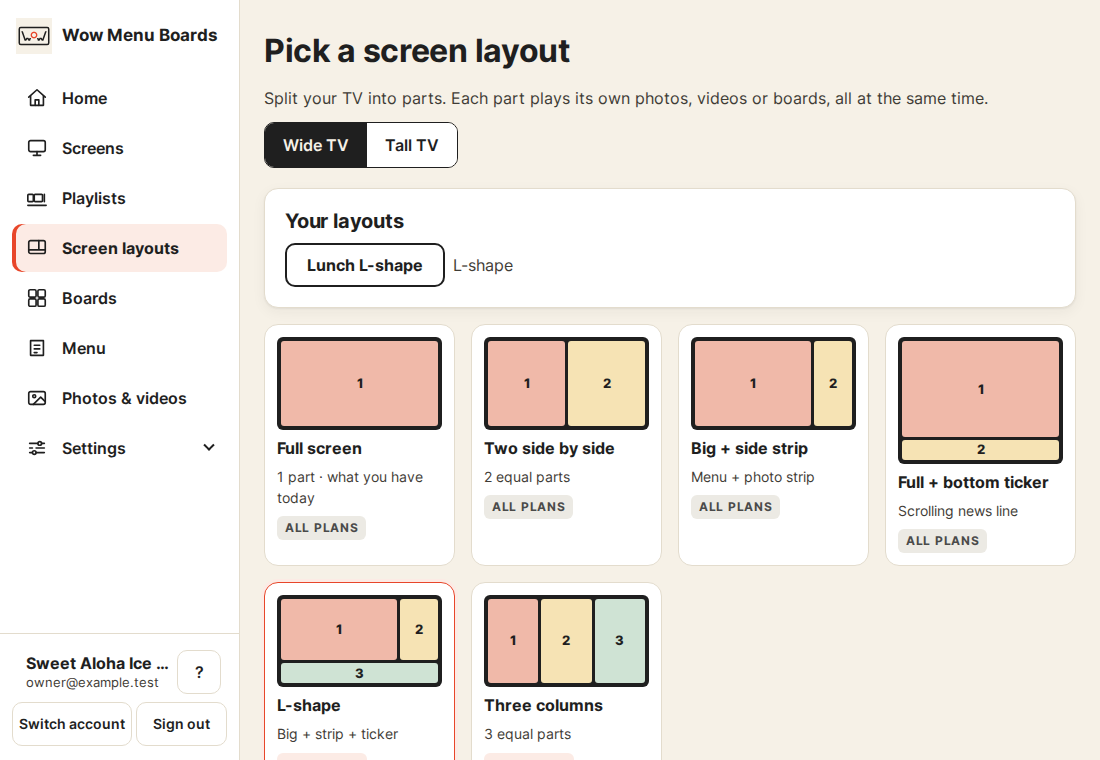
A layout splits one TV into parts. Each part plays its own photos, videos or boards. Your TV still gets one smooth video.
Make one
- Open Screen layouts in the top menu.
- Pick Wide for a TV that lies flat. Pick Tall for a TV turned on its side.
- Tap a layout. Then tap Use this layout.
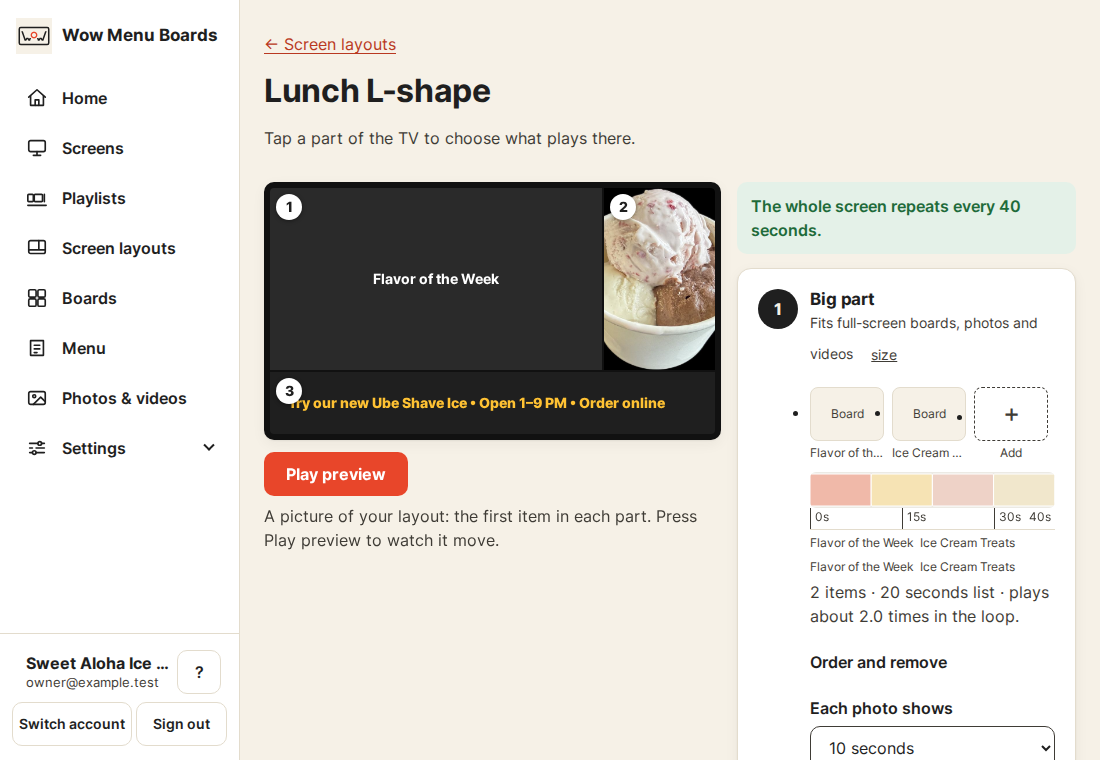
- Tap a part of the picture. Pick photos, videos or boards for it.
- Tap Play preview to watch it move.
- Tap Save & publish. We turn your layout into one smooth video. That takes about 2 minutes. Or tap Save draft to keep your work for later.
What fits where
- Big parts fit full-screen boards, photos and videos.
- Tall side strips fit photos and strip cards.
- The ticker holds one line of moving words, up to 200 letters.
The list in each part shows what fits. If you want the exact size, tap size next to it.
Which plan has which layout
- Basic: full screen and every layout with two parts.
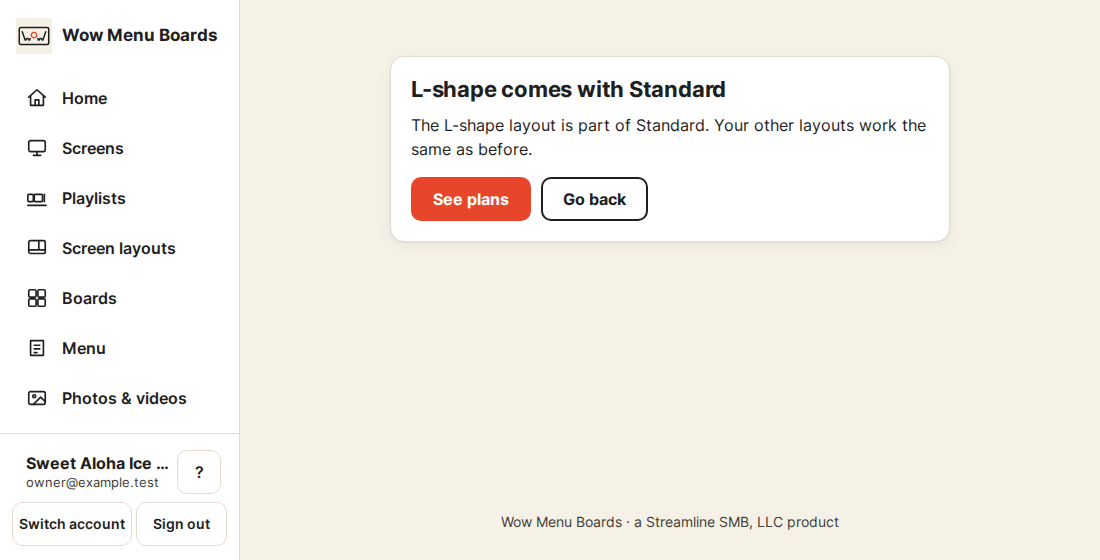
- Standard: also the layouts with three parts. That is the L-shape, the three columns and the tall one with a ticker.
You only see the layouts your plan includes. A short line tells you when there are more.
If you go to a lower plan
Layouts from your old plan keep playing on your TVs. You can look at them. You can't change them until you are back on that plan. You can still delete them.
Not working?
- A part looks empty? Tap it and add something.
- The yellow note says the loop is uneven? Tap Fix it.
- Still stuck? Get help and a person will answer.
Still stuck?
A real person answers. We usually reply within one business day.