Coffee shop menu board
Drinks, sizes and add-ons on one clean screen.
14 days free. No card.
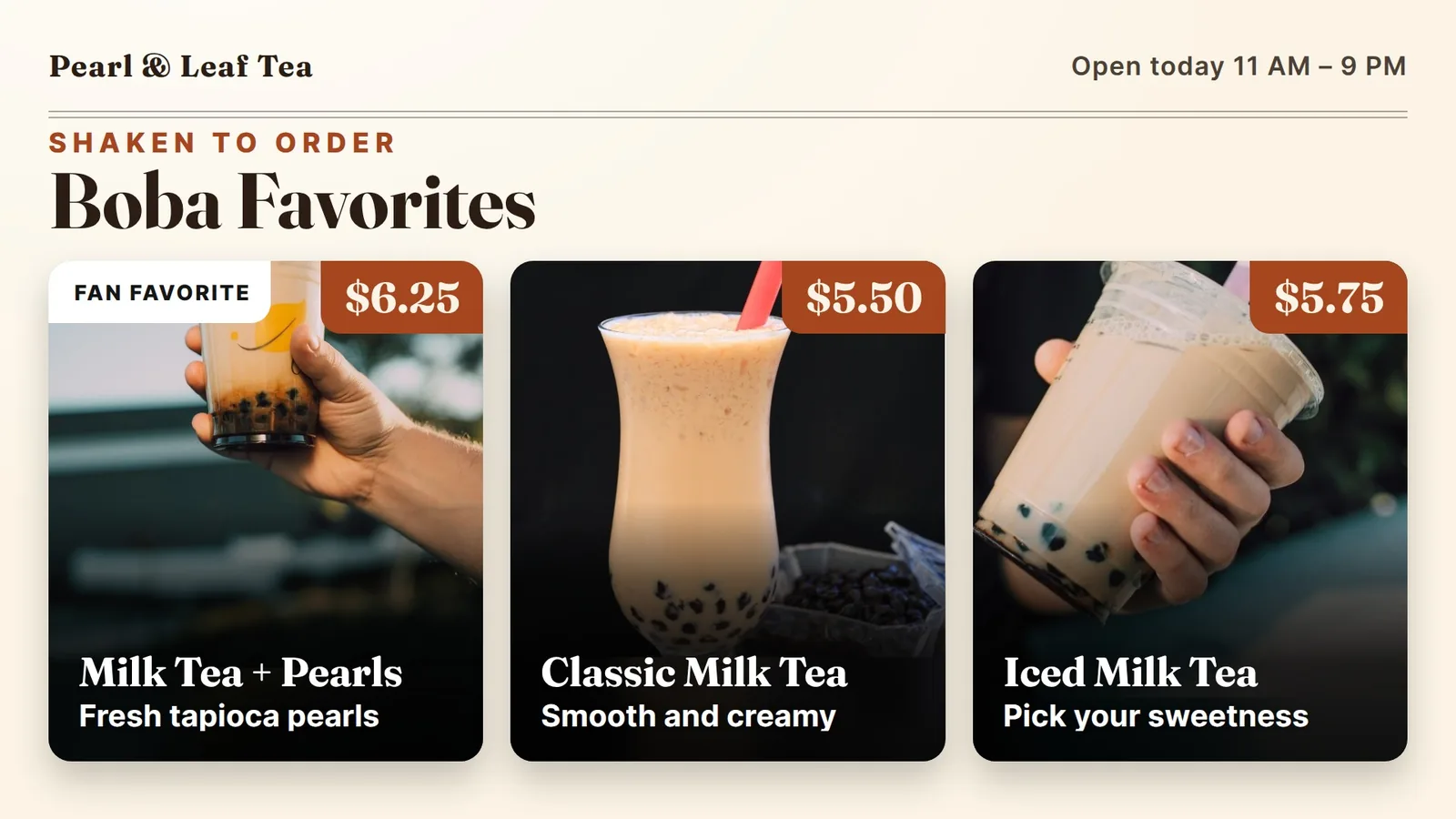
Boba menus have lots of choices, and a crowded board slows the line. Here is a plain plan for a board that shows the drinks first and keeps toppings out of the way.
A boba menu is two menus in one. First comes the drink: milk tea, fruit tea, green tea. Then come the choices: pearls or jelly, ice level, sugar level. Put it all on one screen and you get a wall of small words.
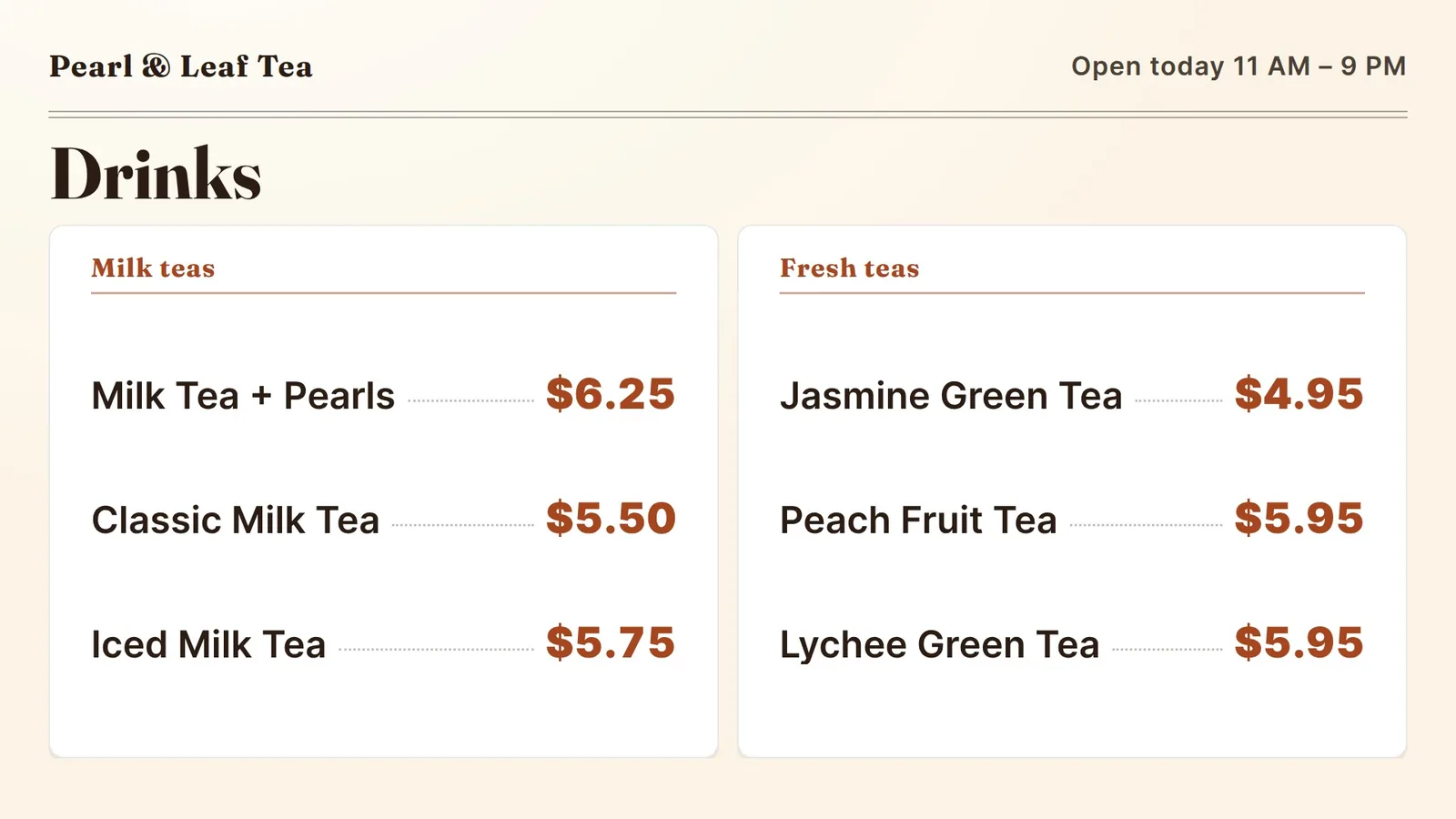
The fix is to split the job. The board shows the drinks and the prices. The choices go in a small side panel, or the cashier asks. A customer in line only needs to answer one question: “Which drink do I want?”
Think about how a shop like this runs at 3 p.m. on a school day. The line is ten deep and everyone is holding a phone. If your board takes more than a few seconds to read, they will just order what they ordered last time.
The board shows the drinks and the prices.
Look at your last week of orders. Pick the top three drinks. Those get the big photos and the top row. The rest can sit in a plain list below.
A good drink photo is simple: a clear cup, pearls at the bottom, a bright straw. You do not need a fancy shoot. Our example board uses three free-to-use stock photos, and it still reads fast.
Keep each name short. “Milk Tea + Pearls” beats a full sentence about the tea leaves. If a drink needs a longer note, one line under the name is enough.
Toppings are add-ons, so give them their own spot. A narrow panel on the right, or a strip along the bottom, works well. Four lines is plenty: pearls, jelly, pudding, and one free choice like extra ice.
Sugar levels are the same on every drink. Say them once, in one line: “Ask for your sugar level at the counter.” Do not repeat them next to each drink.
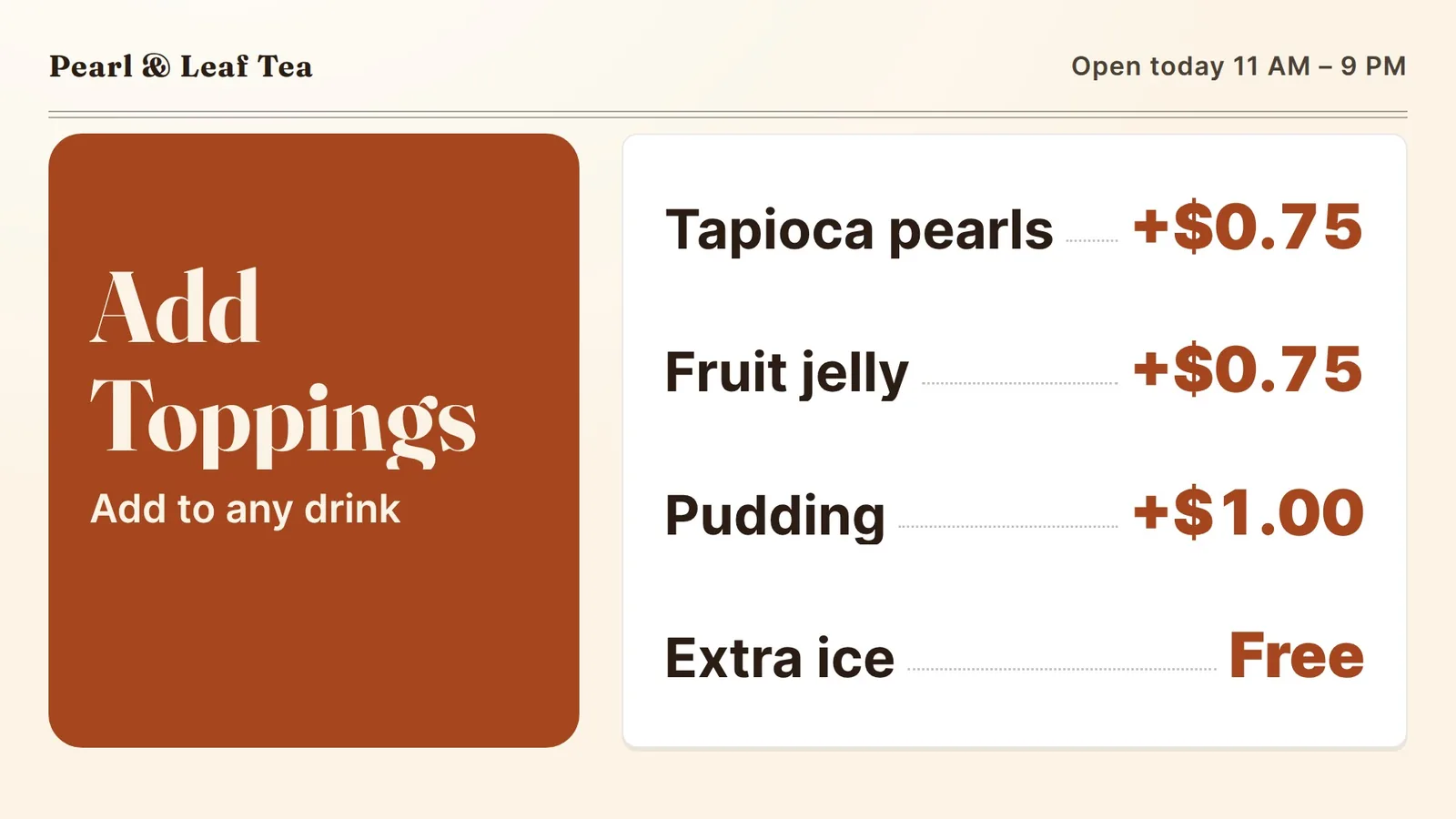
Toppings are add-ons, so give them their own spot.
If you sell two sizes, show the size once. A single line, “Regular and Large,” sits at the top of the list. Then each drink shows its regular price, and one note says what Large adds.
Use the same price format on every line. Dollar sign or no dollar sign, pick one and keep it. Line the prices up in a column on the right, so the eye can slide down them.
Six drinks is a good number for the main list. If you have more flavors, rotate them. Show the six that matter this week and let the others wait their turn.
A short looping video can make a drink look cold and fresh. Our boards play full-HD video, and we use it at our own shop in Davie, Florida, for ice cream and shave ice. The same idea works for tea: a pour, a swirl, a lid going on.
One rule matters more than the rest. Motion goes in the picture, never over the price. The price and name stay still and easy to read. If a customer has to wait for the price to come back around, the video is too busy.
Keep each clip short and quiet. Let the moving part take up about a third of the board.
Motion goes in the picture, never over the price.
Boba shops launch new flavors all the time. Here is how a change works with us today:
We do not link your register to the board yet. That means your register and your board are two lists, so change both when a price moves. Put prices in the same spots on every board, and a change touches one name, not the whole design.
You may already own the screen. A TV with Fire TV built in, or a Fire TV Stick in an HDMI port, can run our app. See our Fire TV menu board page.
The first 14 days are free, with no card, and there is no contract. See pricing for what each plan includes.
Our five screens run in an ice cream and shave ice shop in Davie, Florida, and this advice comes from there. We have not set up a screen inside a bubble tea shop yet, and the example board here is made up. If you run one, tell us what you need and we will say plainly if it fits. For more, read coffee shop menu boards, animated menu boards, menu board design tips and how to update a digital menu board.
Drinks, sizes and add-ons on one clean screen.
When motion helps and when it gets in the way.
Big photos, one size row, add-ons on the side.
Tap lists, strength and a new-this-week strip.
We open free trials a few shops at a time, and we set up your first screen with you.
14 days free, no cardNo contract. Cancel anytime.